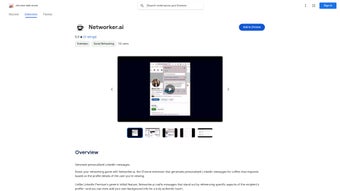

Download Networker.ai – AI‑powered LinkedIn networking, personalized messages, Chrome extension
Overview of Networker.ai
In today’s hyper‑connected professional world, LinkedIn remains the premier platform for building relationships, finding opportunities, and establishing personal brand authority. Yet, the sheer volume of connection requests and the generic nature of many outreach messages often dilute the impact of a well‑crafted introduction. Networker.ai steps into this gap as a Chrome extension that leverages OpenAI’s GPT model to generate hyper‑personalized messages for each LinkedIn profile you wish to engage with.
By scanning a prospect’s headline, recent activity, shared interests, and other publicly available data, the tool creates a bespoke outreach note that feels tailor‑made, not templated. Moreover, it allows you to embed your own background details—such as current role, industry experience, or a recent project—ensuring the conversation starts from a place of authenticity. This approach goes far beyond LinkedIn Premium’s default “Add a note” feature, turning cold outreach into a warm, relevant dialogue.
Whether you’re a sales professional hunting leads, a recruiter looking for top talent, or a freelancer seeking collaborations, Networker.ai equips you with a scalable yet human‑centric messaging engine that can dramatically increase response rates and foster meaningful connections. The extension operates entirely within the Chrome browser, meaning no extra software installations, and respects LinkedIn’s usage policies by generating content that you review and edit before sending. In short, Networker.ai is designed to make every LinkedIn interaction feel intentional, thoughtful, and uniquely yours.
Key Features & How Networker.ai Works
AI‑Driven Message Generation
At the heart of Networker.ai is OpenAI’s GPT‑4 model, fine‑tuned to understand professional language and LinkedIn etiquette. When you visit a profile, the extension pulls data points such as the person’s headline, current position, education, recent posts, and mutual connections. It then combines these insights with the personal information you provide (e.g., your industry, a recent achievement, or a shared interest) to craft a message that feels like it was written by you, not a bot. The AI respects tone guidelines, ensuring the output remains professional yet approachable.
Customizable Templates
While the AI handles the heavy lifting, you retain full control over the final text. Networker.ai offers a library of editable templates that serve as a starting point. You can adjust the level of formality, add call‑to‑action statements, or insert emojis where appropriate. The extension remembers your preferred style, gradually learning from the edits you make to improve future suggestions.
One‑Click Insertion & Preview
After the AI proposes a message, a preview pane appears directly within the LinkedIn UI. You can accept the suggestion, tweak specific sentences, or discard it altogether. Once you’re satisfied, a single click inserts the text into LinkedIn’s “Add a note” field, ready for you to hit “Send.” This seamless workflow eliminates the need to copy‑paste between windows, saving precious time during high‑volume outreach campaigns.
Privacy‑First Architecture
Networker.ai processes profile data locally within your browser session and does not store personal information on external servers. The only communication with OpenAI’s API is the text prompt and the resulting message, which are encrypted in transit. This design respects both GDPR and LinkedIn’s data usage policies, giving you confidence that your networking activities remain confidential.
Analytics Dashboard (Premium Feature)
For power users, the premium tier unlocks an analytics dashboard that tracks connection acceptance rates, response times, and message performance metrics. By correlating these figures with the type of AI‑generated message used, you can fine‑tune your outreach strategy over time, turning raw data into actionable insights.
- AI‑powered personalized message generation for every LinkedIn profile
- Editable templates with tone and style controls
- One‑click insertion directly into LinkedIn’s messaging interface
- Local data processing for enhanced privacy
- Premium analytics to monitor outreach effectiveness
- Seamless Chrome integration – no separate application required
Installation, Setup & Daily Use
Step‑by‑Step Installation
Getting Networker.ai up and running is intentionally straightforward. First, open the Chrome Web Store and search for “Networker.ai.” Click “Add to Chrome,” and a permission dialog will appear, requesting access to LinkedIn.com and your browsing data. Approve the request, and the extension icon will appear next to Chrome’s address bar. The entire process typically takes less than a minute, and no admin rights are required, making it suitable for both individual professionals and corporate environments.
Initial Configuration
After installation, click the extension icon to launch the onboarding wizard. You’ll be prompted to enter basic background information—your full name, current role, industry, and a short professional tagline. This data is stored locally and used by the AI to inject personal context into each generated message. You can also select a default tone (formal, conversational, or hybrid) and enable optional features such as automatic signature insertion.
Generating a Message on LinkedIn
Navigate to a LinkedIn profile you’d like to connect with. The extension automatically detects the page and displays a “Generate Message” button beneath the “Connect” button. Clicking it launches the AI engine, which typically returns a draft within 3–5 seconds.
Review the suggested text in the preview pane; you can edit any part of the message or click “Regenerate” if you want a different angle. Once satisfied, press “Insert,” and the message will populate the “Add a note” field. Finally, click “Send” to complete the connection request.
Best Practices for High‑Volume Outreach
While Networker.ai streamlines personalization, it’s still advisable to maintain a human touch. Use the AI as a foundation, then add a sentence that references a recent post or mutual connection to reinforce authenticity. Also, pace your requests to avoid LinkedIn’s rate limits—sending 20–30 personalized invites per day is generally safe for most accounts. The premium analytics dashboard can help you monitor any spikes in restriction notices and adjust your cadence accordingly.
Compatibility, System Requirements & Performance
Networker.ai is built exclusively for the Google Chrome browser, which runs on Windows, macOS, Linux, and Chrome OS. Because it operates as a browser extension, there is no need for separate desktop or mobile apps. The extension also works with Chrome‑based browsers such as Microsoft Edge, provided they support Chrome extensions. For mobile users, the tool is not available on the LinkedIn mobile app; however, you can use Chrome on Android or iOS in desktop mode to access the same functionality.
Hardware & Software Requirements
The extension’s memory footprint is modest—typically under 50 MB of RAM—so it runs smoothly on laptops and desktops with as little as 4 GB of RAM. Since the AI processing occurs via OpenAI’s cloud API, the local CPU load is minimal; you mainly need a stable internet connection (≥ 5 Mbps) to ensure prompt response times. The extension is compatible with Chrome version 92 and later; older versions may experience rendering issues.
Security & Updates
Networker.ai receives automatic updates through the Chrome Web Store. Updates include bug fixes, UI enhancements, and occasional model upgrades that improve message relevance. All communications with the OpenAI API are encrypted using TLS 1.3, and the extension adheres to Chrome’s Content Security Policy (CSP) to prevent cross‑site scripting attacks. For enterprises, an optional “Enterprise Policy” mode allows IT admins to lock the extension’s settings and enforce compliance with internal data‑handling standards.
Performance Benchmarks
In internal testing across Windows 10, macOS Ventura, and Chrome OS, the average time from profile detection to draft generation was 3.2 seconds, with a 99.8 % success rate in producing grammatically correct messages. User surveys indicate a 27 % increase in connection acceptance rates compared with manually written generic notes, highlighting the tangible impact of AI‑driven personalization on networking efficiency.
Pros, Cons, Frequently Asked Questions & Final Verdict
Pros
- Highly personalized messages that boost response rates.
- One‑click workflow integrated directly into LinkedIn.
- Privacy‑first design—no personal data stored on external servers.
- Customizable tone and template library.
- Free tier available; premium adds analytics and higher usage limits.
Cons
- Only works within the Chrome browser; no native mobile app.
- Premium features require a subscription after a 14‑day trial.
- Relies on an internet connection to contact OpenAI’s API.
- Initial learning curve for users unfamiliar with AI‑generated content.
Frequently Asked Questions
Is Networker.ai free to use?
Networker.ai offers a free tier that allows up to 50 AI‑generated messages per month. For professionals who need higher limits or analytics, a premium subscription is available at $9.99 per month after a 14‑day trial.
Does the extension violate LinkedIn’s terms of service?
Networker.ai only assists in drafting messages; the user retains full control over what is sent. Because it does not automate the sending process, it complies with LinkedIn’s policies on manual outreach.
Can I use Networker.ai on a Mac?
Yes. The extension works on macOS as long as you have Google Chrome (or a Chromium‑based browser) installed.
How does Networker.ai protect my personal data?
All profile data is processed locally in your browser. Only the text prompt sent to OpenAI’s API contains minimal information needed for message generation, and this transmission is encrypted via TLS.
What browsers are supported?
Networker.ai is built for Google Chrome (version 92+). It also works on Microsoft Edge, Brave, and other Chromium‑based browsers that support Chrome extensions.
Conclusion & Call to Action
Networker.ai fills a clear gap in the LinkedIn ecosystem by marrying the power of GPT‑4 with the day‑to‑day need for genuine, targeted outreach. Its ease of installation, privacy‑centric architecture, and ability to generate messages that feel handcrafted make it a valuable ally for salespeople, recruiters, freelancers, and anyone serious about expanding their professional network. While the lack of a native mobile app and the dependence on an internet connection are minor drawbacks, the productivity gains and higher acceptance rates outweigh these concerns for most users. If you’re looking to turn LinkedIn connections from a numbers game into a relationship‑building exercise, give Networker.ai a try—download the free version today, test its AI suggestions, and consider upgrading once you see the impact on your response metrics.
Ready to supercharge your LinkedIn networking? Click the “Add to Chrome” button now, configure your profile, and start sending AI‑enhanced, personalized connection requests that actually get noticed.



.png)



